Please disable your ad blocker.
The only ads on this site are discreet (sidebar on desktop, below the content on mobile).They do not interfere with reading and may even offer you benefits (discounts, free months…).
Display all websites in dark mode with a Chromium-based browser without plugins
Following my tutorial Display all websites in dark mode with a Chromium-based browser, I thought it would also be useful to explain how to do it without using a plugin.
Setup
- Open Google Chrome and type
chrome://flagsin the address bar - In the small search bar, type:
dark - Look for the option
Auto Dark Mode for Web ContentsorForce Dark Mode for Web Contents - Change the value to
Enabled with selective inversion of non-image elementsto enable dark mode without altering images - Finally, click the
Relaunchbutton to restart the browser
On Brave, it looks like this:

Here is a non-exhaustive list to access the flags page, depending on the browser:
- Brave: brave://flags
- Google Chrome: chrome://flags
- Microsoft Edge: edge://flags
- Opera and Opera GX: opera://flags
Avoiding issues
If some websites do not display correctly in dark mode:
- Install the Stylus [ chrome.google.com ] extension if you don’t already have it
-
Go to
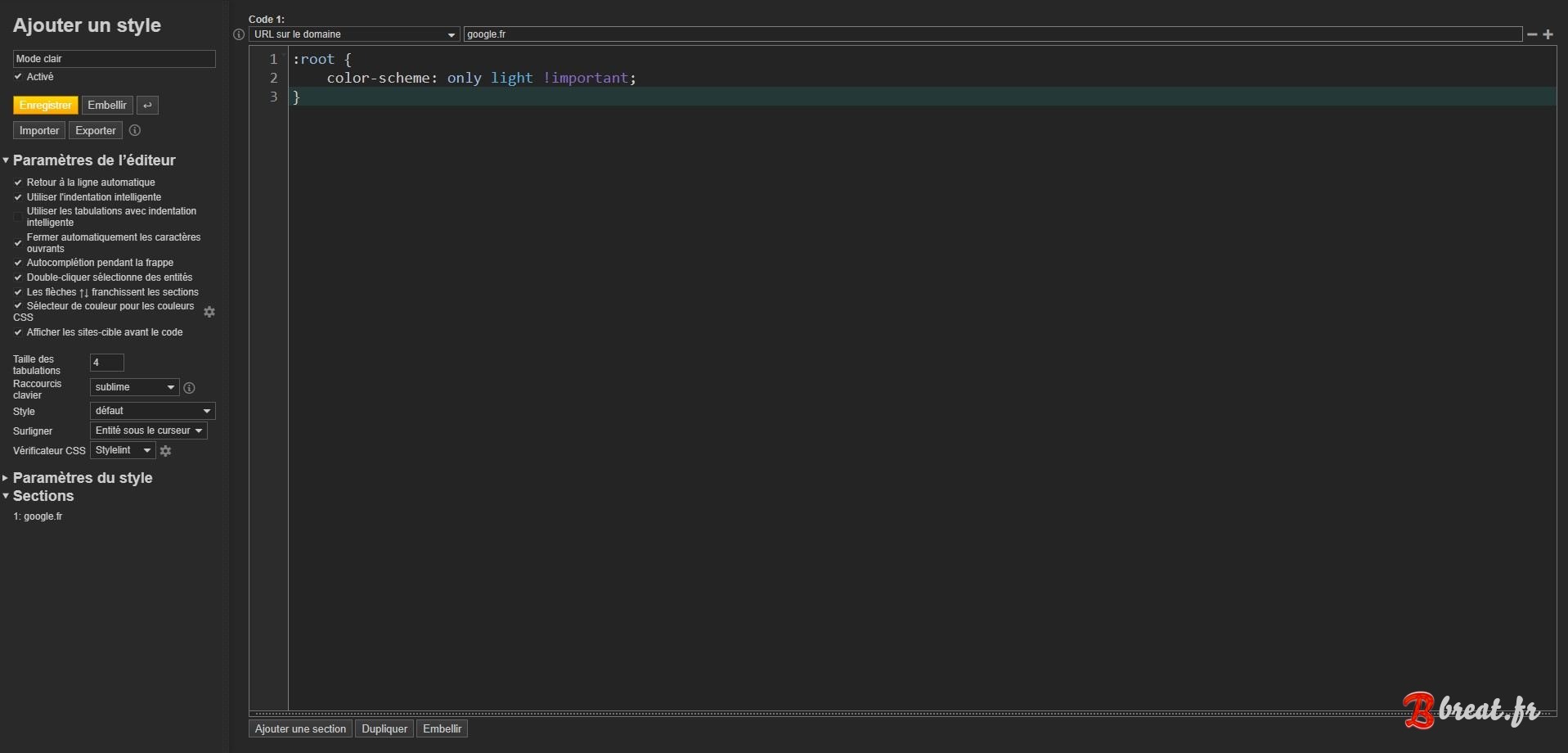
Manage stylesand clickCreate new stylewithout checking the small box just to the right. -
Name the style for example
Light mode, chooseURLs on the domainand enter the problematic domain such asgoogle.fr, then write the following code:
It should look like this::root { color-scheme: light only !important; }Finally, clickSave. - Go back to the problematic website, it should now be in light mode.
- For another problematic website, go back to your style and click the in the top-right corner to add another domain.

Appendix
Now that you have Stylus, you can also enjoy my themes available on breat.fr in the Web customization section. 😊
Comments (2)
Really helpful guide! I didn’t know you could force dark mode through the flags menu without any plugin that’s a great trick for anyone who spends long hours on the internet.The Stylus tip for fixing specific sites is a nice bonus too. Thanks for sharing this.
comment edited by admin to remove link without an link with the article
yes we can do it with stylus too and easily (just 1 line of code for all websites) but i prefer do it in flag and use stylus to force light mode for some websites