Please disable your ad blocker.
The only ads on this site are discreet (sidebar on desktop, below the content on mobile).They do not interfere with reading and may even offer you benefits (discounts, free months…).
Brivacia

Project description
Simple web analytics, without tracking your visitors
Brivacia is an open-source, self-hosted web analytics tool designed to help you understand your website activity without turning visitors into marketing profiles.
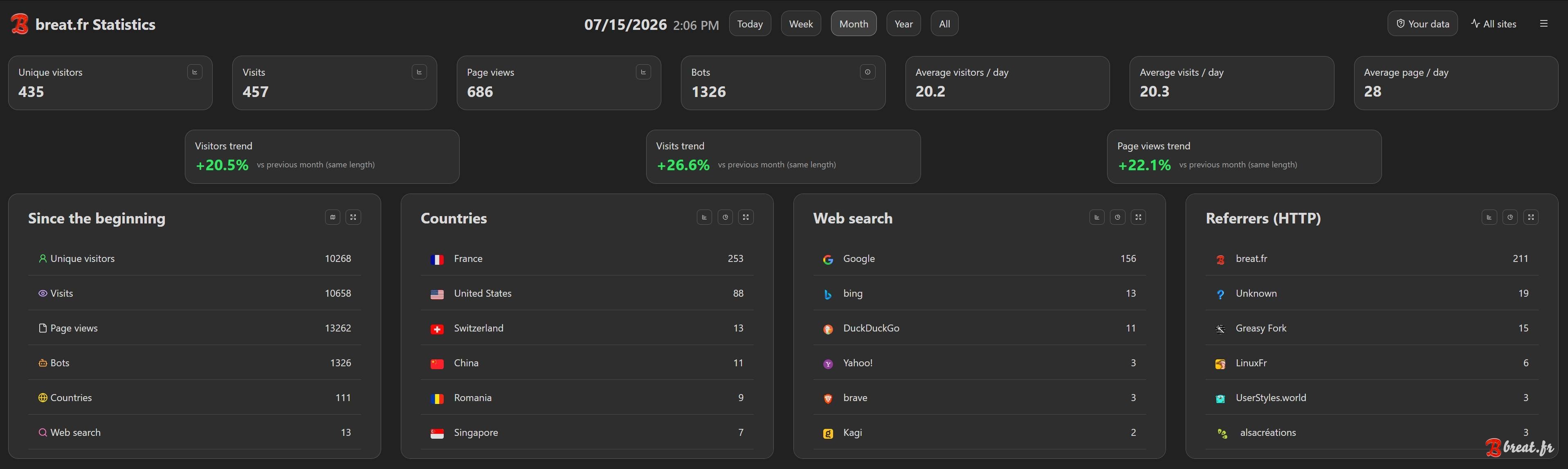
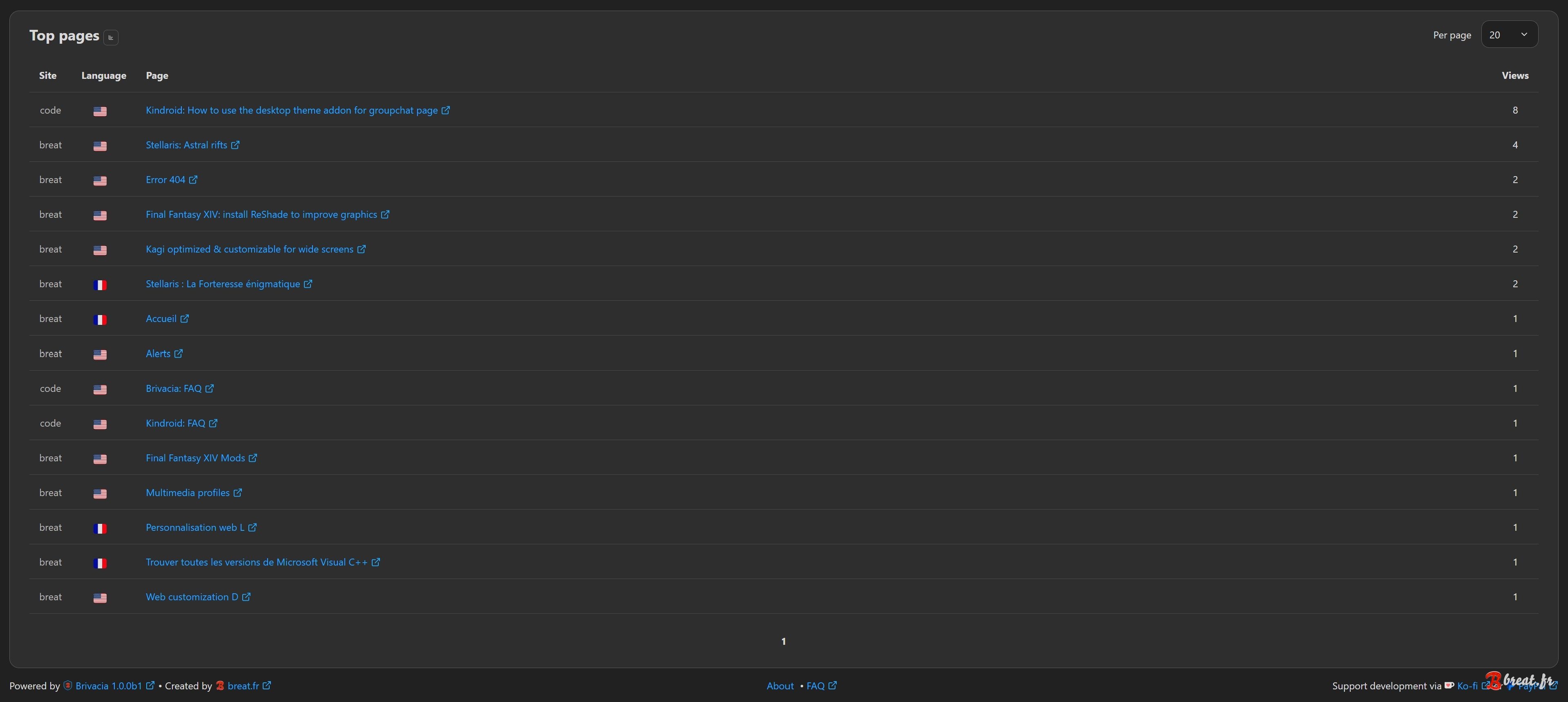
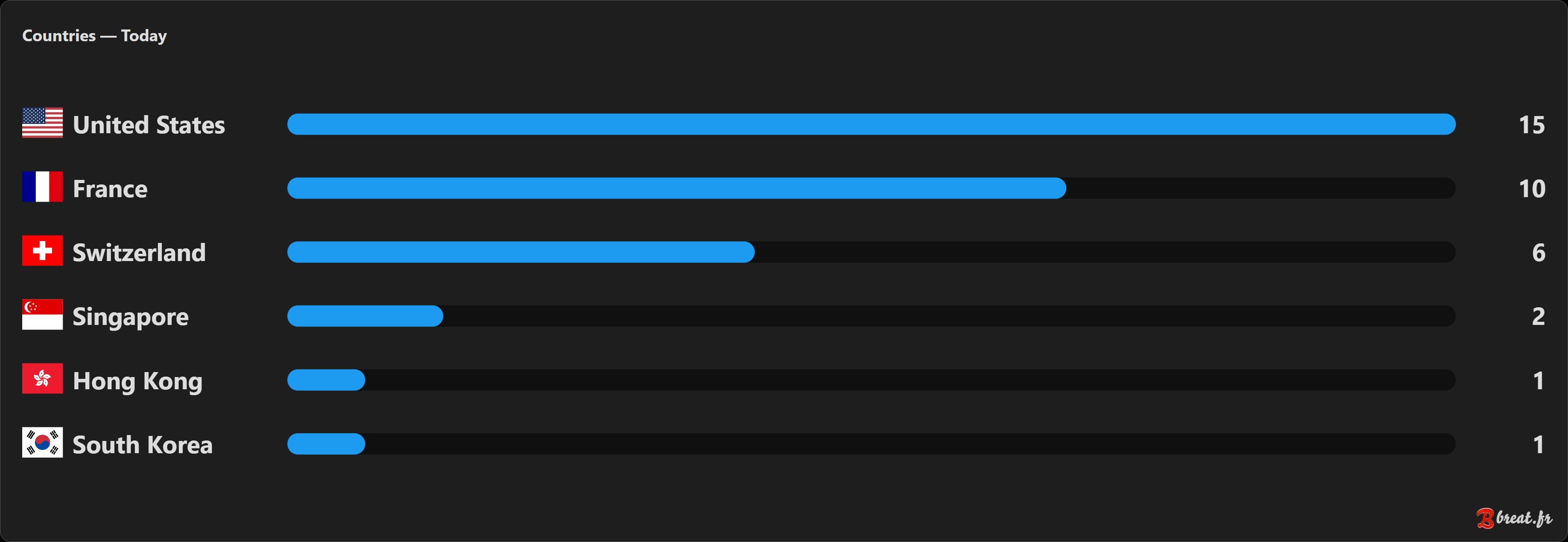
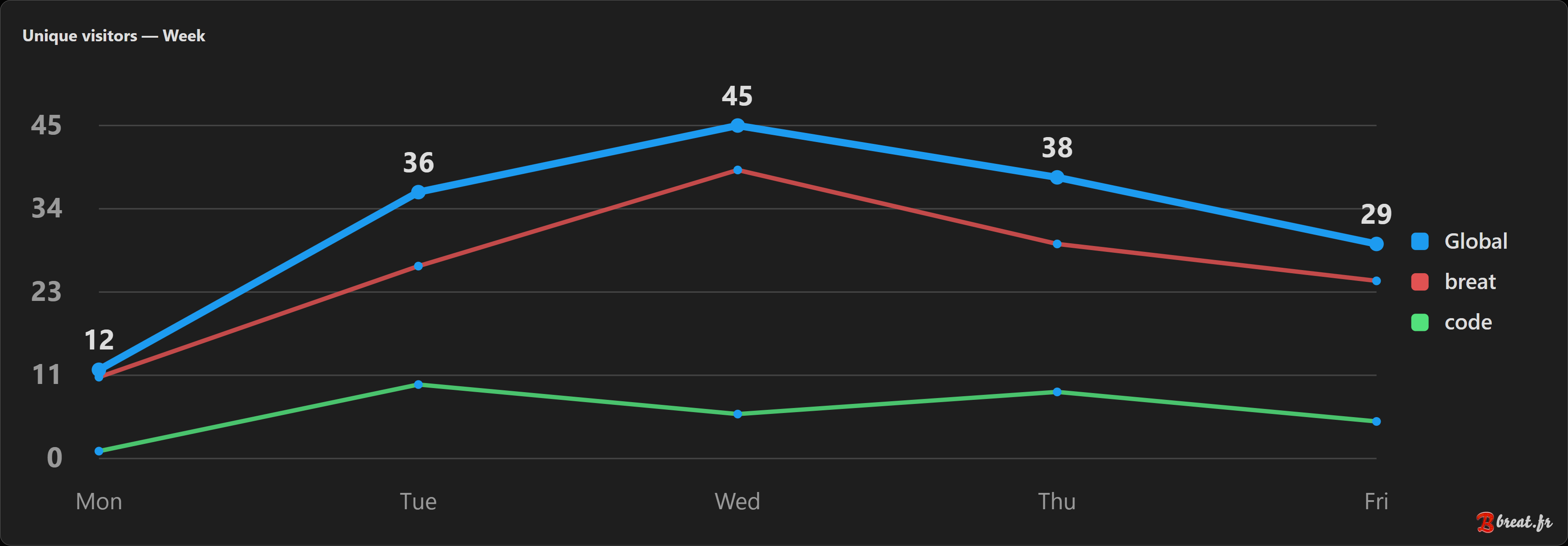
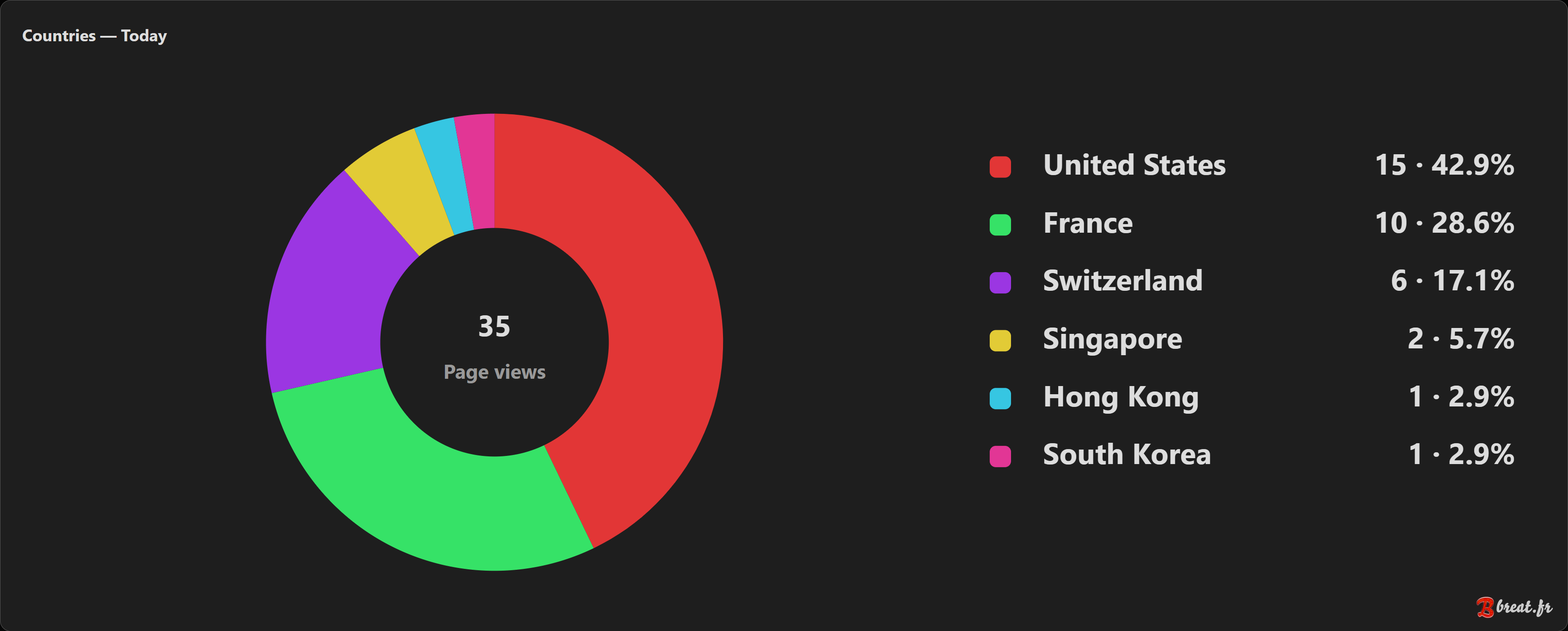
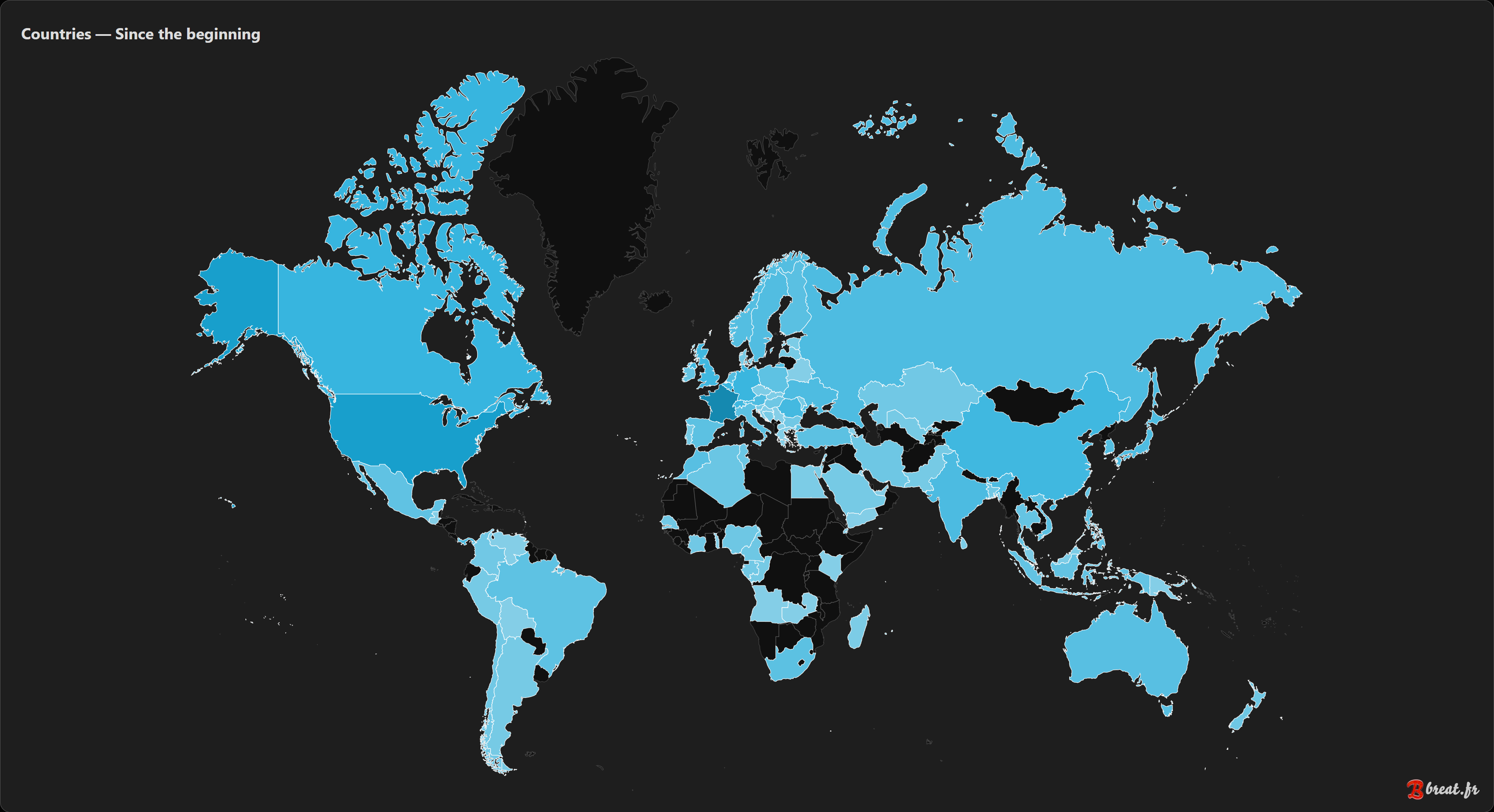
It lets you track the essential information: visitors, visits, page views, most viewed pages, traffic sources, search engines, estimated countries when this option is enabled, and audience trends over time.
The goal is simple: provide useful, readable and privacy-friendly statistics, without an external account, without an overloaded dashboard and without excessive data collection.
Why Brivacia?
Most analytics tools have become very complete, sometimes too complete. Between conversion funnels, custom events, visitor profiles, audience segments and countless marketing options, it is easy to drift away from the original need.
Brivacia answers simple questions:
- how many people visit my website?
- which pages are the most viewed?
- where do visitors come from?
- is my audience growing?
- which content works best?
Brivacia is not designed to measure everything. It focuses on the statistics that are actually useful for running a website, blog, documentation site, personal project or small online service.
Who is it for?
Brivacia is made for people who want to understand their website activity without using an intrusive or overly complex analytics platform.
It can be useful for:
- a personal website
- a blog
- documentation
- a small open-source project
- a showcase website
- a self-hosted tool
- a small community
- a webmaster who wants useful statistics without unnecessary tracking
- and many other cases
Brivacia is not built for large marketing teams or advanced advertising conversion needs. It is designed for people who want clear, sufficient and visitor-friendly statistics.
A privacy-first approach
Brivacia is designed to measure website activity, not to track people.
By design, Brivacia does not create a permanent visitor profile. It does not store the full IP address, does not keep an individual browsing history and does not try to recognize a person from one day to the next.
To count unique visitors during a day, Brivacia uses a temporary identifier calculated from deliberately limited information. This identifier changes automatically every day.
This makes it possible to get useful statistics while avoiding long-term visitor tracking.
What Brivacia does not do
Brivacia is not trying to replace large marketing platforms.
It does not provide advertising tracking, profiling, cross-site tracking, advanced conversion systems or detailed collection about each visitor.
This is intentional. Brivacia prefers to sacrifice some of the precision that more intrusive tools could provide in order to better protect visitor privacy.
A clear dashboard
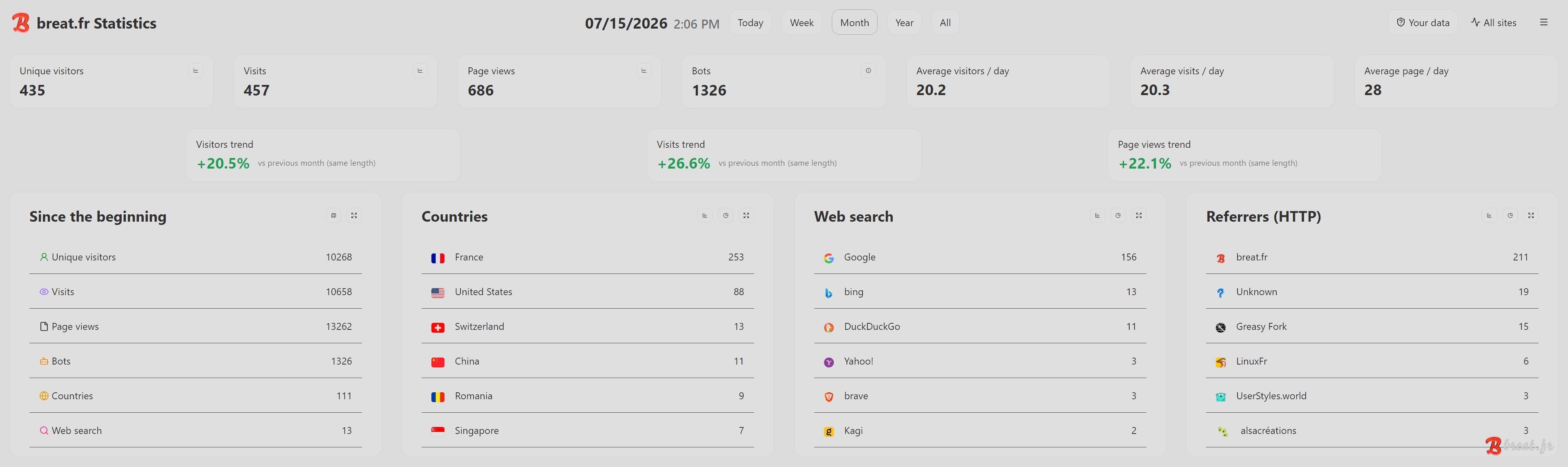
The Brivacia dashboard displays the main statistics directly.
You can view data by day, week, month, year or for the full available period.
The dashboard includes, among other things:
- unique visitors
- visits
- page views
- detected bots
- daily averages
- changes compared to the previous period
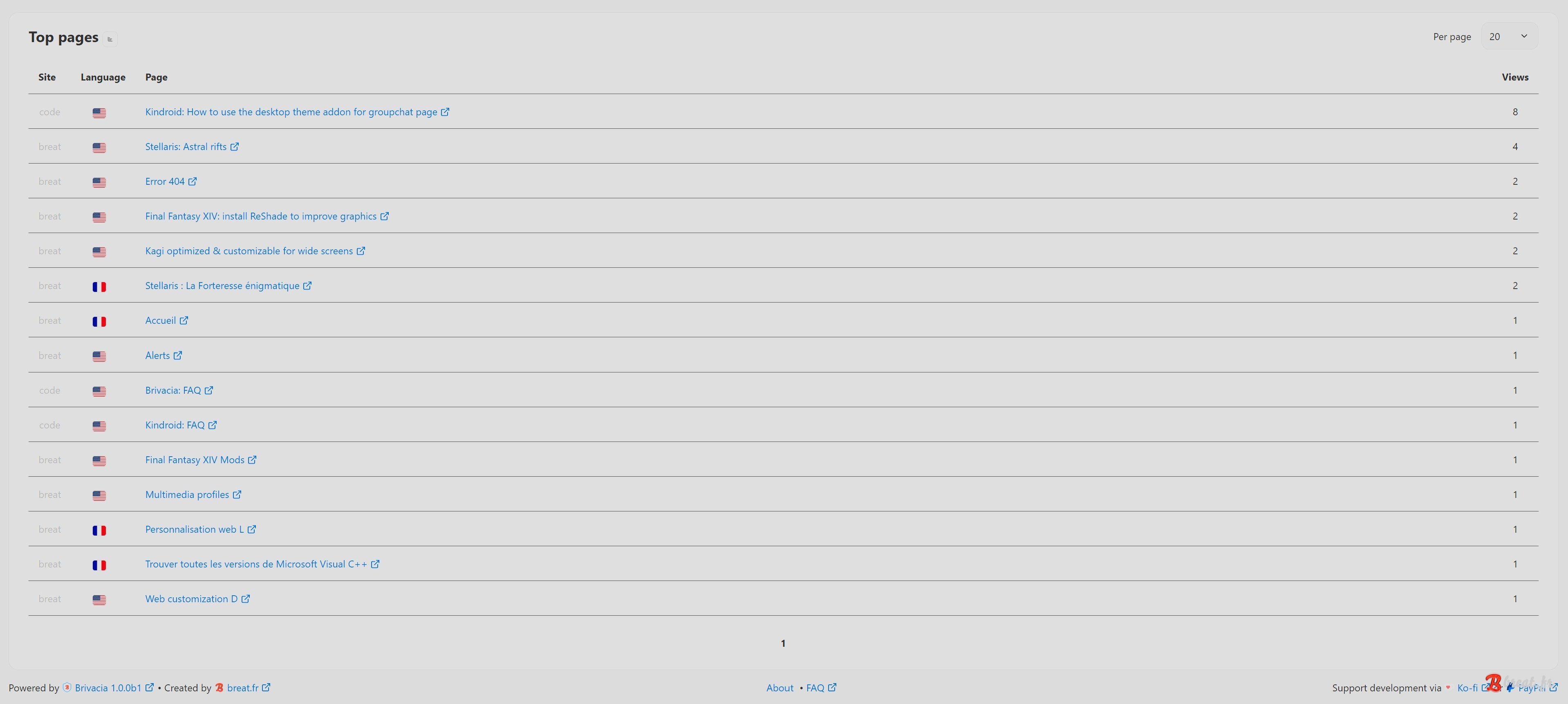
- most viewed pages
- countries, when geographic estimation is enabled
- search engines
- referring websites
- charts to visualize trends
Brivacia can also track multiple websites from the same installation, with a different code for each site.
Available languages
The Brivacia dashboard is available in French and English.
The language is detected automatically from your browser language: if your browser is in French, Brivacia is displayed in French; otherwise, it automatically falls back to English, including when the browser language is neither French nor English.
You can also create your own translation file for your language and send it to me from the source code page if you want to.
Open source
Brivacia is released under the AGPL v3.0 license.
The source code can be read, checked, modified and improved. This transparency is consistent with the goal of the project: providing a simple, understandable and privacy-friendly analytics tool.
Advanced features
Transparency for visitors
Brivacia includes a public Your data interface.
This interface can be added to the tracked website to show visitors what Brivacia actually knows about them.
It shows, among other things, whether the visitor has already been seen today, which part of the IP address is used, which browser or operating system family is detected, and explains how Brivacia deliberately limits data collection.
This transparency matters: visitors should not only be protected, they should also be able to understand what is collected and why.
Geolocation control
Country estimation is optional and disabled by default.
Brivacia can work without geolocation. In that case, no country is estimated.
If you want to display statistics by country, Brivacia can use a configurable source, such as Cloudflare or BlurLoc depending on your installation. In all cases, the goal remains to limit the information used and avoid storing the full IP address.
Import from Matomo
Brivacia can import statistics from Matomo to make migration easier without starting from scratch.
The import does not try to reproduce the whole previous tool. It only retrieves the data Brivacia needs for its own statistics: main totals, page views, countries, referrers and other information useful to the dashboard.
During the import, you can choose to merge imported data with statistics already present in Brivacia, or overwrite existing data for the affected period. This lets you either complete an existing installation or start cleanly from the imported data.
This feature is especially useful if you are leaving Matomo and want to keep continuity in your statistics without keeping all the complexity of a heavier analytics tool.
Legacy statistics
In addition to the full import, Brivacia can also use legacy statistics.
This option is used to preserve old numbers without importing old pages, old URLs or old tracking problems. It is useful if you want to start with a new, clean Brivacia database while still keeping your history in the statistics.
There are two modes: totals, which keeps a single lifetime number per site and only shows up on the "All" period, and detailed, which keeps the day-by-day history and shows up on every dashboard period (day, week, month, year, all).
There are several ways to use this feature: you can create the file manually (totals mode only), or use the Export > Legacy statistics (totals) and Export > Legacy statistics (detailed) functions after a Matomo import. See the dedicated FAQ for more information.
In both modes, legacy statistics can add to counters, countries, referrers, recognized search engines and some charts. However, they never create pages and never touch the active SQLite database.
In short: the Matomo import is used to recover detailed data that Brivacia can use, while legacy statistics preserve your history without bringing back the noise from the previous system — with detailed mode letting that history show up across every dashboard period if you want it to.
Export your data
Statistics can be exported from the dashboard.
Brivacia provides several export formats, including CSV, JSON and TXT as a human-readable report, so you can keep a copy of your data or reuse it elsewhere. It also includes both legacy statistics exports (totals and detailed).
Backups, recovery and archives
Brivacia stores its data locally in a SQLite database.
To reduce the risk of data loss, Brivacia creates database backups and attempts automatic recovery if the database becomes unusable. The goal is to prevent a simple incident from making the dashboard inaccessible or losing data over a long period.
Brivacia automatically archives old data by year. This yearly archive keeps the history available without making the main database unnecessarily heavy for daily use.
Archiving is automatic, but it can also be launched manually if you want to force the operation before its normal trigger. See the dedicated FAQ for more information.
Archives are still used by Brivacia to keep a global view of the history while keeping the active database lighter.
Updates
Brivacia also includes an update system directly from the dashboard. When an update is available, a notification bell appears in the top-right corner. Just click the bell, then click Download and install. The downloaded archive is verified with a SHA-256 hash before installation, to avoid installing a corrupted or unexpected archive.
Administration security
Administration is based on a local administrator account.
Login uses a signed cookie, and sensitive actions are protected against unauthorized requests. Brivacia also includes protection against repeated login attempts.
Two-factor authentication can be enabled from the settings. It uses a standard TOTP code, compatible with apps such as 1Password, Aegis, Ente Auth, Google Authenticator, Proton Pass and many others. See the dedicated FAQ for more information.
Backup codes are generated when enabling 2FA, so you can recover access if you lose your authenticator app.
For more information about Brivacia’s security model, you can refer to this FAQ.
Ignore your own visits
To avoid distorting the statistics, Brivacia can ignore your own visits.
A dedicated cookie can be installed in your browser so that your own visits to the site are not counted in the statistics. See the dedicated FAQ for more information.
Customization
Brivacia lets you adapt some elements to your website.
You can configure tracked sites, the instance name, the dashboard appearance, displayed trends, referrer management, traffic source icons, and custom rules to improve how pages are displayed in the dashboard.
Under the hood
Brivacia is intentionally lightweight: no front-end framework, no external JavaScript dependency to load, no separate database server to install (SQLite is enough).
What the administrator's browser actually downloads to display the dashboard:
- CSS: 34 KB
- JavaScript: 18.6 KB
On the server side, the full PHP codebase (excluding images and icons) weighs around 471 KB.
As for the tracked website, it only needs about 390 bytes of extra code.
Useful links
- New features and fixes
- Project FAQ
- Source code
- Support and suggestions [ discord.gg ]
- License (in english) AGPL v3.0 [ gnu.org ]

Quick install
- PHP 8.1 minimum
- SQLite
- Download the archive using the link below
- Unzip it, then upload the folder contents to your web hosting, for example https://stats.example.com/
- Go to https://stats.example.com/ and complete the installation wizard
- In the top-right menu (), click
Embed code - Copy this HTML or PHP code to all pages of your website to start collecting your statistics
No complex change to the server or to the tracked website’s database is required. See the dedicated FAQ for more information about installation.
Download
- brivacia.zip (2.2 MB)
Do you find this project useful? You can support its development using the buttons in the page footer.
Comments